

Create a content brief
Plan a piece, set its funnel stage, and move it through the workflow.
Briefs are the planning sheets for each content piece. They live inside a client with the Briefs module enabled.
Steps
-
Pick the client in the sidebar selector and open Briefs. You’ll see the table of planned pieces.

-
Click New brief at the top right.
-
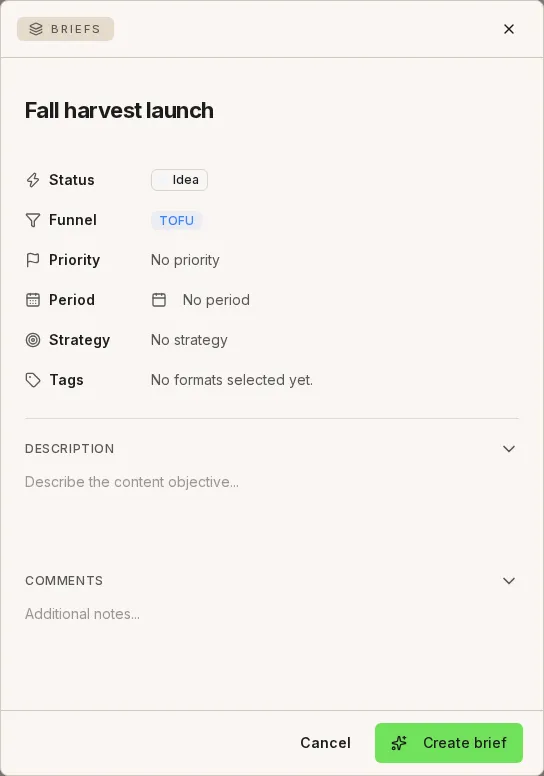
Fill in Title and Description. Choose the Funnel stage (TOFU, MOFU, or BOFU) and the Format (Blog, Video, Infographic, Newsletter, Post, and more).
-
Click Create brief. It appears in the list with its initial status.
-
Open the brief and change its Status from the row menu (for example, Idea → In review → Approved) or view it on the By status board. Every change is recorded in the activity log.
