

Strategy overview
Read progress, the timeline, and the client's attention items from the Overview entry of the Strategy module.
The Overview entry of the Strategy module condenses the client’s status into a single screen: where the strategy is headed, how its objectives are progressing, which initiatives cross the selected quarter, and what is worth reviewing today. Objectives remains the detailed workspace (table, Kanban, Gantt, and editing).
Direction and snapshot
-
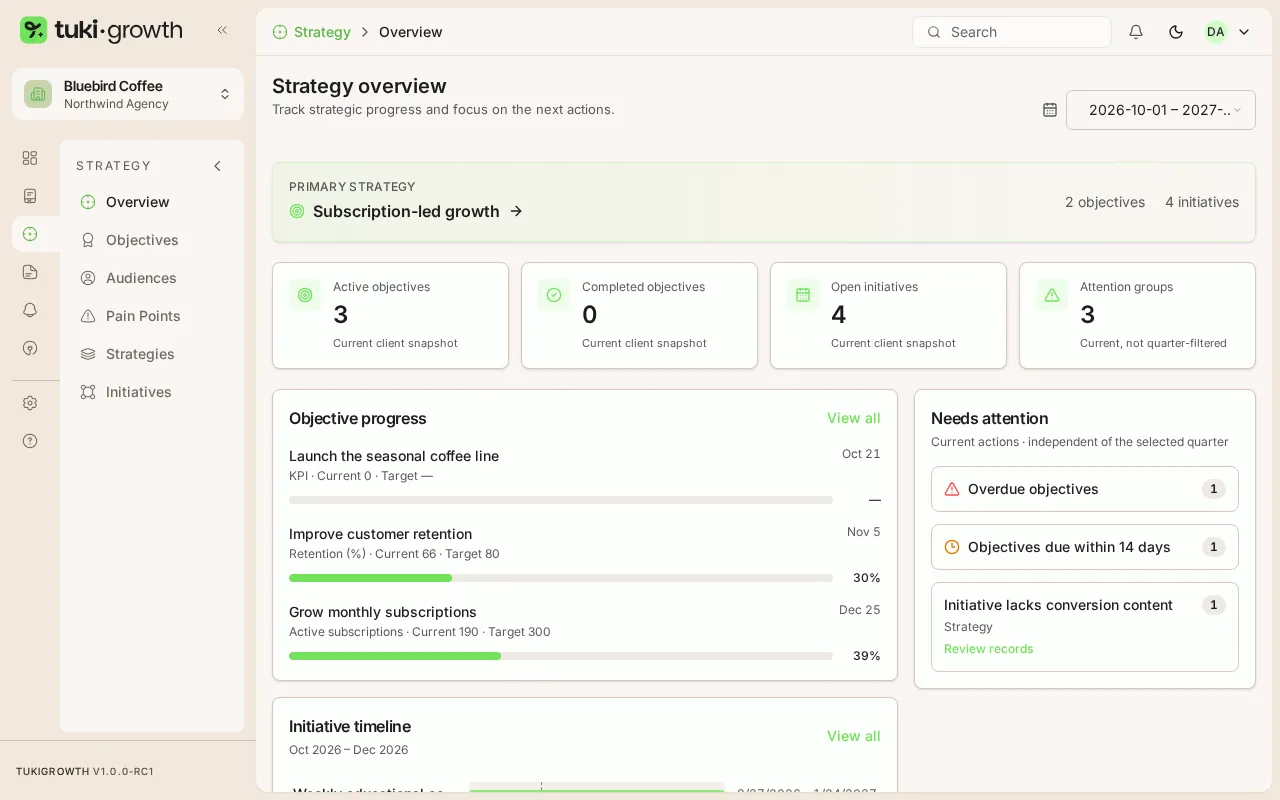
The Direction card shows the active primary strategy with its linked objective and initiative counts. When no primary strategy exists, a link leads to the strategies list to pick one.
-
Below it, the client snapshot sums up four numbers: active objectives, completed objectives, open initiatives, and attention groups. These are whole-client counts, not quarter-scoped. If a client exceeds the read limits, the snapshot says the numbers are partial.
Objective progress
Each active objective shows its KPI, current value against target, due date, and a progress bar. Ordering puts overdue objectives first, then those due within 14 days. Every card opens the objective’s quick view inside Objectives.
Initiative timeline
The window selector picks the quarter (up to four back and two forward). Open initiatives overlapping that quarter appear as bars with the Today marker; undated ones are listed separately as Unscheduled — no dates are invented for them.
Attention
The Needs attention panel combines objective signals (overdue and due within 14 days) with actionable recommendation groups, already filtered by what you dismissed. Review opens the details with every affected record, and Dismiss for me stores the dismissal per user.
Journey coverage
The Journey coverage heatmap crosses audiences with the client’s configured funnel stages and counts only eligible content for the selected quarter. It requires:
-
the client’s guidance level set to Coach; and
-
the journey (funnel) enabled.
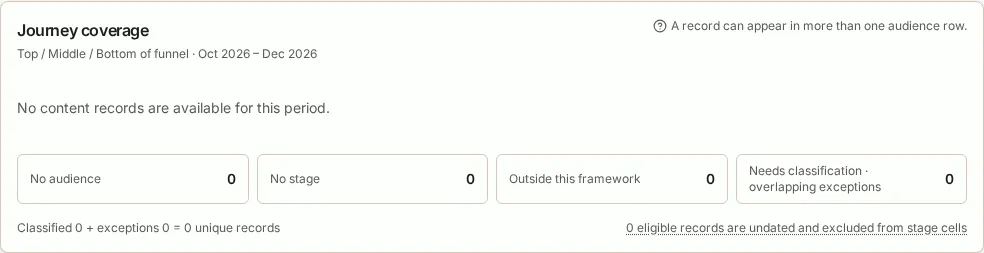
Exceptions are shown separately and never guessed: No audience, No stage, Outside this framework, and the deduplicated Needs classification total. Every cell and every exception opens a review with the exact records.